Showing posts with label facebook. Show all posts

Wednesday, March 21, 2012

Remove Facebook Timeline

How To Remove your Facebook Timeline ?

The basic requirement to be applied in this way, to remove the facebook timeline is by using the latest browser of Mozilla Firefox, Google Chrome, Internet Explorer. I have never tried using other browsers other than these 3 browsers.

1- First, visit: http://www.timelineremove.com/
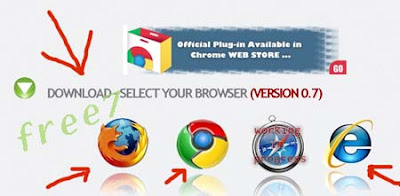
2- Click on the browser icon, to install extensions or add-ons of the browser you are using.


3 - After the extension or add-ons of your browser has been installed, now login to your facebook account and follow the T-Remove Company / like in Facebook, here : http://www.facebook.com/pages/T-Remove/281474221924355
4 - Restart your browser (close and reopen your browser)
5 - Done,... go to your facebook profile to check if the time-line has been removed

Removing Facebook Timeline , Timeline Remover


Tuesday, July 27, 2010

Facebook Safety Page Launched

Now, Facebook finally launch the internet safety education center. The education was placed within one of the web pages on Facebook site , here : Facebook Safety

"The web page named 'Safety Page' and will provide news and information about how to store data securely in the biggest community website in the world that," Says, Joe Sullivan , a Facebook's official, on his posting quoted by the Straits Time, Tuesday [27-7- 20100]

The new page is intended to complement the Safety Center Virtual that has introduced by Facebook in April 2010. The Security Center is based on the 'security fan page' which currently has attracted approximately 2.2 million fans.

"Online Safety is a shared responsibility. We'll keep to think of innovative ways to improve the safety on our service and elsewhere on the Web," Sullivan said.

Currently, the number of Facebook users has reached 500 million, which means one of every 14 people on this planet has now been signed up to social networking.

The launching of Facebook Safety Page was as the answer of facebook to the requests of privacy activists who request to Facebook to give user control on their personal data in the facebook account.

Saturday, April 17, 2010

Add Blog Feed On Facebook Account

If you actively write on your blog, You can use Facebook to share your writings through Facebook. Your writing will be easier to read by your friends, by posting blog feeds on your Facebook account.

How to install blog feeds on facebook?, to add your blog feed to facebook, follow these steps:

1- Login to your facebook , click Account - Applications (Application settings), then choose "Notes"

feed facebook
2- Choose "Import a blog" (Edit import settings )
add feed on facebook
3- Choose "Import a blog" (Import an external blog), if it already exists another feed. click stop importing, then back to "import a blog" again

adding and share your rss feed blog on facebook
4- Click "Confirm Import"
add rss feed blog on facebook
5 - Done...back and see on your main profile...

Monday, January 11, 2010

Mark Zuckerberg Hot Photos - Facebook Founder's Private Pics

facebook founder boss Mark ZuckerbergMark Zuckerberg , as we know he is Facebook CEO/Founder where Mark Elliot Zuckerberg ,born in White Plains, New York, May 14, 1984. Son of Edward and Karen Zuckerberg. He is a computer programmer and entrepreneur from the United States.

Become rich in a relatively young age because it succeeded in establishing and developing a social networking site Facebook ,while still in college with the help of his friends, Andrew McCollum,Dustin Moskovitz, and Hughes Crish. Currently he serves as CEO of Facebook. He noted as the youngest billionaire, on his own efforts and not because of inheritance, which never recorded in history.

Mark Zuckerberg Hot / Private Photos
We know that FB-Facebook still controversially forced profile pihotos to public and pushed users to share candids with the whole world. So now we're blessed with pics of the social network's young CEO shirtless, romantic, and clutching a teddy bear.lol

So, ss a result of it, Zuckerberg has gone from sharing very little of his personal Facebook content with the public to sharing a whole lot, True-Slant's Kashmir Hill has noticed.
Mark Zuckerberg Hot pics
Mark Zuckerberg naked
Mark Zuckerberg drunk playboy

Mark Zuckerberg girl money
Mark Zuckerberg girl friend

Thursday, November 26, 2009

Make money online via facebook - Monetizing FB applications

make money from facebookNow I try to share a Facebook applications that I'm sure you can use to earn a livelihood rather than just write status,like displaying a photo and reply to comments. In essence you can have fun while making real money ... is not it even more fun.

On your Facebook profile page in fact you can display and sell goods. Whether it could be music, T-shirts, Gadgets, and others. And that's all you can do with a little capital even without the capital altogether.

Below I try to share a variety of Facebook applications that might be reference for you. So please take advantage of the best services below.

Music Blaster
An application that works with BlastMyMusic. You simply promote musical acts and get 5% commission from sales of their music

CafePress
Pretty much everyone has heard of CafePress, and with this Facebook app you can start selling whatever you have on your store via your profile.

e3buy Auction
Works with the e3buy auction site so you can add auctions to your profile as well as open a store.

eBay
I think you all familiar with the most popular auction site in the world "ebay", highlight anything you’re selling on eBay to your friends on Facebook.

FlameTunes
Are you a musician? Want to sell your own music on your profile? This is the application for you.

Garage Sale
In association with Buy.com, Garage Sale allows you to sell your items to your friends, like that box of old books, your bike, etc.

Lemonade
Works just like it’s parent site, Lemonade.com. Pick items you like from a selection of sites, add the widget to your profile, make a commission on anything that sells

About the opportunity to monetize applications was a result of Facebook’s decision to allow developers to display unlimited advertisements. On par with advertising as a source of income, some developers, have come to prefer the use of affiliate links (finding leads for eBay, Amazon, etc) instead. Part of the reason is that Facebook does not allow developers to embed JavaScript within their code, hence making it difficult to enable Google Adsense for the content. Moreover, as is the case with MySpace, contextual advertising is not targeted enough to earn sizable revenues. Another method to get money, you may try this: Win real money playing online slots at Karamba.com , I think that's a simple way also...if you like..

Sunday, October 25, 2009

Facebook Virus what it is

new facebook virus todayIs Koobface Virus (worm)? , I don't know.

I use linux and never in trouble with any virus. and if I use windows for the other pc so I use deepfreeze.

"The following I get an email":
A new virus was found, and classified by Microsoft as the most destructive virus was only discovered on Sunday afternoon last by McAfee, and have not found a vaccine to beat.

This destructive virus , will kill Zero-Sector of the hard disk. The virus is running as follows: This virus automatically will be sent to all names in your address list with the title: "Une Carte Pour Vous, or A Card For You"

Once the virtual card is opened, the virus that would freeze the computer so that the user must begin again, if you press CTRL + ALT + DEL or a command to restart, the virus that will destroy the Boot Sector of the hard disk, so the hard drive will be permanently damaged.

According to CNN, the virus was in a few hours had make panic in New York. This warning has been accepted by Microsoft's own employees.

Do not open e-mail with the title: "Une Carte Pour Vous, or A Card For You"

Send this message to your friends all.

WARNING ...! Do not accept chou@hotmail.com pti_bout_de_ contacts.
This virus will reformat your computer.

Send this message to everyone in your address list . If you do not do it and one of your friends put it in the address list, your computer will also be affected.

Another stories
You're visiting some hot galleries on the interntet,"a pretty woman watching you with her naughty smilies, through Facebook webcam!", "You look very interested and curious in this new movie!” Those are just quotes that were taken from hackers who were trying to your hack Facebook account by try to installing a Facebook virus called Koobface above. Once you clicked on the messages, you will be brought to a page where you need to update your Flash player before the hot video can be viewed. Therein lies the virus, cloaked in a “flash_player.exe” file.

Facebook Fan Check is virus ?
I don't have any experience in this topic, So , please visit these links to learn more:
  1. Facebook Fan Check scareware begets malign ware-scares
  2. Facebook Fan Check Application Not a Virus, But Avoid the “Fixes”

Monday, September 14, 2009

Koobface Virus

Recently there was a new virus so-called Koobface ,that attacks the social networking of facebook and myspace.

Koobface is worm type .W32/Koobface.worm spreads via Facebook and MySpace. Current variants only target either Facebook or MySpace specifically. The worm spreads by fooling users into downloading and running it from links sent via Facebook and MySpace users.

Below some information about koobface from wikipedia
Koobface, an anagram of Facebook, is a computer worm that targets the users of the social networking websites Facebook, MySpace, hi5, Bebo, Friendster and Twitter. Koobface ultimately attempts, upon successful infection, to gather sensitive information from the victims such as credit card numbers. It was first detected in December 2008 and a more potent version appeared in March 2009.

Koobface spreads by delivering Facebook messages to people who are 'friends' of a Facebook user whose computer has already been infected. The messages contain innocuous subject headers like "Paris Hilton Tosses Dwarf On The Street", "LOL", "My friend catched you on hidden cam", and "My home video :)", followed by a link. Upon receipt, the message directs the recipients to a third-party website, where they are prompted to download what is purported to be an update of the Adobe Flash player. If they download and execute the file, Koobface is able to infect their system. It can then commandeer the computer's search engine use and direct it to contaminated websites.

Among the components downloaded by Koobface are a DNS filter program that blocks access to well known security websites and a proxy tool that enables the attackers to abuse the infected PC.

Several variants of the worm have been identified:

* Net-Worm.Win32.Koobface.a, which attacks MySpace
* Net-Worm.Win32.Koobface.b, which attacks Facebook.
* WORM_KOOBFACE.DC, which attacks Twitter.
* W32/Koobfa-Gen, which attacks Facebook, MySpace, hi5, Bebo, Friendster, myYearbook, Tagged, Netlog, Badoo and fubar.

The Windows operating system is currently the only operating system affected by the worms.

The following just tips for you if your account has recently been used to send spam, please visit one of the online antivirus scanners and reset your password on Facebook.

http://www.kaspersky.com/virusscanner
http://security.symantec.com
http://us.mcafee.com/root/mfs/scan.asp?affid=56
http://www.bitdefender.com/scan8
http://onecare.live.com/site/en-us/default.htm
http://ca.com/securityadvisor/virusinfo/scan.aspx
http://www.ewido.net/en/onlinescan
http://www.pandasecurity.com/homeusers/solutions/activescan

Sunday, September 13, 2009

Facebook Lite simple and similar to twitter

facebook liteFacebook Lite is a Facebook that can only be used to update your status and not available to other features.

Facebook-lite use simple features like twitter and almost similar to Twitter.

If you are more likely to use facebook just to update the status, I think this version is more suitable,lighter,easy and simple

Oke, if you want to try please go to http://lite.facebook.com


Of course you must have an account on www.facebook.com to be able to use this facebook lite services


"Facebooklite twiter"

Tuesday, September 8, 2009

Chat on Facebook without opening Account - The most powerful breast

Apart from the social media to share photos,pictures,articlees, and update the status, The Facebook also has to facilitate to contact the other users through the chat application (conversations). However usually before using the chat application , we at least must login previously into our facebook site account.

In fact,there any other methods that could be used without must login into facebook account, using chat client application.

Facebook Chat on the Web Browser
Some of the applications below can be used directly using a web browser, including IE, Firefox, Flock and Google Chrome
Facebook Chat Client on the Desktop
If you want to try the application via the desktop client chat we can try some of the applications below.
Facebook Categories

Oke readers,..now let's take a coffee break!...below just to refresh our mind...look and watch the wonder women on hot youtube video below, she really has a powerful sexy36 boobs...

Saturday, September 5, 2009

Facebook Hacking - Tips to protect from stupid crackers

hacking facebook security tipsAre there the hackers or crackers can hack www.facebook.com or mail.yahoo.com or mail.google.com..? I'm not a hacker but in my opinion that,almost impossible to hack the facebook provider, or till today facebook dot com can not be hacked yet ,by lamers from anywhere.
We've been hacked are caused only from negligence and careless behavior by using email account (related: way to protect email from spam).

Anyway, to overcome the Facebook hacking problems, the Facebook team gave section especially the handling the facebook account that was hacked (here: facebook security account). there the users could send the message to Face book admin about the problem ,including scam,hacking,phising,facebook hacking prevention tips and other.

Facebook hacking software like facebook-freezer, in the fact that have been circulating in the internet now ,and very easy to get or use this tool ,Although facebook-freezer just a stupid cracker's tool, but annoying enough.

Fake login ,It's most likely a cracker doing what is known as phishing. You most likely were told, at one point or another to re-enter your password for some reason, right? If so this was a page the cracker made to look like the previous page, but that was actually a page that sent him/her the information that you typed in. Never type in a password after already having logged in and get a phishing filter from somewhere like Norton, becauase they can, and most likely will, try to do it again.

In another fact ,about the internet and identity,The internet is a shapeless world where identities are not only dynamic but can’t ever be verified with certainty. As a result, its easily possible to be one person one moment, then another person the next moment. This is particularly true when using internet based social networking sites like Facebook (and the rest).

Humans have a natural tendency to trust each other. If one human being can provide another human with "something sufficient' then trust is earned. That "something sufficient" can be a face to face meeting but it doesn’t always need to be. So,the people that have been targeted by hackers could easily exploited during their (hackers)social attacks trusted ,coz they (people) thought hakers worked for the same company as them (people).

Follow the useful links below to learn more about facebook hacking security tips and tutorials:

Tips To Protect Yourself from Hackers in Facebook, Myspace, Twitter and Orkut

6 tips to protect your identity on Facebook

Friday, September 4, 2009

Change facebook background and Disable balloon tips

If you like to change facebook layout for your facebook background profile ,then I suggest that this site www.chameleontom.com is very good (I don't write a post review) ,that offer many useful features to suport any facebook activities .

Easy way to change display of facebook layout profile, look these steps :

1- Open the mozila firefox browser
2- Download and install facebook plugin from here http://chameleontom.com/#download
there,you can read step by step how to instal this plugin
3- After finishing process of instalation, restart your firefox browser , then open again...
4. Done, there you can choose so many layouts and designs for facebook profile.

Additional tips..
If you are using windows and bored by looking the "ballloon tips" at right-bottom of your desktop , indeed microsoft windows sometimes offers tips and advice to new users by opening a balloon window from the taskbar.

So, we can disabled this balloon tips using the following tips:
- Download and install this small tool , download
this file in rar.format ,download winrar

or

Run regedit (click "start-run ,then type regedit") and go to Key:
HKEY_CURRENT_USER\Software\Microsoft\Windows\CurrentVersion \Explorer\Advanced
then set the value of 'EnableBalloonTips' to 0 (zero).


free 7 on google buzz

Sunday, July 12, 2009

Hack Facebook account basic tutorial video

Hi..I'm not a hacker but,I just found this video from youtube about hack facebook account that called hacker (lamers/crackers) basic tutorial video, in my opinion hacking is not easy ,from the most definition of hacking is the act of gaining access without legal authorization to a computer or computer network. A hacker first attacks an easy target, and then uses it to hide his or her traces for launching attacks at more secure sites. The goal of an attack is to gain complete control of the system [and so you can edit, delete, install, or execute any file in any user’s directory], often by gaining access to a "super-user" account. This will allow both maximum access and the ability to hide your presence, and for newbie hackers needed to be very knowledgeable so that they were able to identify bugs themselves and often write their own programs to exploit them. They had to keep track of the leading developments in the field ,ex :latest bugs, latest patches, latest bugs in the patches, and others... use?

Knowledge is good, and what good is all this knowledge if you are not putting it to use..Enjoy and let's get educated...

Tuesday, June 30, 2009

Let's Change Facebook Username instead of your default URL

Perhaps you've heard that now you could replace your facebook url address with your own username, Like http://www.facebook.com/IwanRachmanto.

Yes, This feature will allow facebook users to have their own Facebook URL user names instead of the default profile URL .

Just simply way , go to :http://www.facebook.com/username - Verify code throught your mobile phone - choose/select user name.

Or Learn more below :
Copy-paste from : http://blog.facebook.com/blog.php?post=90316352130

Username selection is now live at http://www.facebook.com/username/. Remember, choosing a username is optional and will give you a distinct Web address for your profile. It will not change the name that appears on your profile, in search or elsewhere on the site.

From the beginning of Facebook, people have used their real names to share and connect with the people they know. This authenticity helps to create a trusted environment because you know the identity of the people and things on Facebook. The one place, though, where your identity wasn't reflected was in the Web address for your profile or the Facebook Pages you administer. The URL was just a randomly assigned number like "id=592952074." That soon will change.

We're planning to offer Facebook usernames to make it easier for people to find and connect with you. When your friends, family members or co-workers visit your profile or Pages on Facebook, they will be able to enter your username as part of the URL in their browser. This way people will have an easy-to-remember way to find you. We expect to offer even more ways to use your Facebook username in the future.


Your new Facebook URL is like your personal destination, or home, on the Web. People can enter a Facebook username as a search term on Facebook or a popular search engine like Google, for example, which will make it much easier for people to find friends with common names. Your username will have the same privacy setting as your profile name in Search, and you can always edit your search privacy settings here.


Starting at 12:01 a.m. EDT on Saturday, June 13, you'll be able to choose a username on a first-come, first-serve basis for your profile and the Facebook Pages that you administer by visiting www.facebook.com/username/. You'll also see a notice on your home page with instructions for obtaining your username at that time.


Facebook usernames will be available in basic text forms, and you can only choose a single username for your profile and for each of the Pages that you administer. Your username must be at least five characters in length and only include alphanumeric characters (A-Z, 0-9), or a period or full stop ("."). While usernames are currently available only for Romanized text, we're looking at how we might support non-Romanized characters in the future.

Think carefully about the username you choose. Once it's been selected, you won't be able to change or transfer it. If you signed up for a Facebook Page after May 31 or a user profile after today at 3 p.m. EDT, you may not be able to sign up for a username immediately because of steps we've taken to prevent abuse or "squatting" on names.

Be sure to check out this FAQ for answers to common questions, and if you're an administrator of Facebook Pages, get more details here. If you want to ensure you keep the rights for a trademark or other protected name, contact us here.

Related post:
Facebook Grader How popular are you in Facebook

Share Button the complete Bookmark for blogger

Facebook tips -see your friends location in Google Maps

FaceBook - Make Share Button on Blogger

Wednesday, June 24, 2009

Facebook Grader How popular are you in Facebook - don't stop your action

Facebook Grader is the service that enabled you to see as the popular ranking of your profile in the Facebook service.
You just login using the Facebook account, furthermore the Facebook Grader that will present some important information like Rangking Profile, the total number of your friends and how many of your postings that has been published uptil now. There were also the FaceBook Elite facilities ,that presenting the informations of most popular profile users that was recorded in The Facebook Grader ,

Ok, please go to: Facebook Grader

Facebook Grader

Tuesday, June 9, 2009

Share Button the complete Bookmark for blogger

Share this button for blogger

Style - 1)
Following are an another way to share your articles to any socialbookmarking sites, make share button on blogger like facebook, google readers...etc. for your readers.

If your 're using blogger template, then just copy-paste the code below , the best place is right after the <div class="'post-footer'"> tag, or after the <p><data:post.body/></p> tag.
Go to your blogger Dashboard-Edit HTML-check-list "Expand Widget Templates" ,and find the code above with push keyboard button "Vtrl + F" ,and place the tag code in the find box (left-bottom)

<!-- AddThis Button BEGIN --> <div><a expr:name='data:post.title' expr:id='data:post.url' onmouseover='return addthis_open(this, "", this.id, this.name);' onmouseout='addthis_close()' onclick='return addthis_sendto()'><img src="http://s7.addthis.com/static/btn/lg-share-en.gif" width="125" height="16" alt="Bookmark and Share" style="border:0"/></a> <script type="text/javascript" src="http://s7.addthis.com/js/250/addthis_widget.js?pub=xa-4a2d675d11a52fb0"></script></div> <!-- AddThis Button END -->


Style - 2 )

<!-- AddThis Button BEGIN -->
<div class="addthis_toolbox addthis_default_style addthis_32x32_style">
<a class="addthis_button_preferred_1"></a>
<a class="addthis_button_preferred_2"></a>
<a class="addthis_button_preferred_3"></a>
<a class="addthis_button_preferred_4"></a>
<a class="addthis_button_compact"></a>
<a class="addthis_counter addthis_bubble_style"></a>
</div>
<script type="text/javascript" src="http://s7.addthis.com/js/250/addthis_widget.js#pubid=xa-4dbd04eb22c24b47"></script>
<!-- AddThis Button END -->


Style -3 )

<!-- AddThis Button BEGIN -->
<div class="addthis_toolbox addthis_default_style ">
<a class="addthis_button_facebook_like" fb:like:layout="button_count"></a>
<a class="addthis_button_tweet"></a>
<a class="addthis_counter addthis_pill_style"></a>
</div>
<script type="text/javascript" src="http://s7.addthis.com/js/250/addthis_widget.js#pubid=xa-4dbd070f50236695"></script>
<!-- AddThis Button END -->


Of course, you can put the above share button codes that not necessarily at the bottom of your articles, like at the home page, sidebar, or wherever you want....through your blog widget (Page Elements - Add a Gadget - HTML/JavaScript Add)


And if you are using another platform web, like :website,wordpress,MySpace , then please visit http://www.addthis.com

Tuesday, June 2, 2009

Facebook tips -see your friends location in Google Maps

Have you ever thought about tracing all the locations of your facebook friends, find the certain location, for example you wanted to see your facebook friends in a citty or country. Or only want to see the locations of the other friends who has been joined as your friends,
Then please knew that with one of the facebook applications from Map Motive.

map motive to your facebook mapsThe Map Motive that was I knew was worked by means of seeing the location of the profile of all your facebook friends profiles , afterwards this application tried to showing the location using the map system on Google Maps.
the facebook mapping in google mapsCheck-out at: http://mapmotive.com/

Friday, February 20, 2009

FaceBook - Make Share Button on Blogger

Some questions of How do I share my blogger posts on Facebook ? , look my news article here: Share this button for blogger

Here's ,how make share button on your blogspot posts ,like appear at this blog . which will be good for readers to share your posts on Facebook, such as Digg button.

Oke, go to blogger dashboard -Edit HTML -Check Expand Widget - and find the code below:
<b:if cond='data:top.showAuthor'>

Place following code before the code above

<b:if cond='data:post.url'>
<a expr:href='&quot;http://www.facebook.com/share.php?u=&quot; + data:post.url'><img alt='www.tips-fb.com' border='0' src='http://i15.photobucket.com/albums/a398/syilpid/share_on_facebook_2.png'/></a>
</b:if>

The code above will appear be like this button:


If you want to using another button , can use these code below :

Cara memasang facebook di blog

<b:if cond='data:post.url'>
<a expr:href='&quot;http://www.facebook.com/share.php?u=&quot; + data:post.url'><img src="http://i15.photobucket.com/albums/a398/syilpid/share_on_facebook_4.png" border="0" alt="www.tips-fb.com"></a>
</b:if>


<b:if cond='data:post.url'>
<a expr:href='&quot;http://www.facebook.com/share.php?u=&quot; + data:post.url'><img src="http://i15.photobucket.com/albums/a398/syilpid/share_on_facebook_3.png" border="0" alt="www.tips-fb.com"></a>
</b:if>

Or use your own text , for example : "Share On Facebook"

<b:if cond='data:post.url'>
<a expr:href='&quot;http://www.facebook.com/share.php?u=&quot; + data:post.url'>Share on Facebook</a>
</b:if>

End...