Showing posts with label security tips. Show all posts

Thursday, November 10, 2011

Outline USB Flash Security - Free Download - Protect File

Outline USB Flash Security free
Good day readers... do you still looking for free stufs..? Yeah...free..free...free..free7 , you're at the right place....

Outline USB Flash Security that's another ones like I have posted eviously, here : USB Disk Security Download - Full Version


About this "Outline USB Flas Security", how it works, how to install, how to use.. it's all been there in the download package, and it has given in 3 languages: English, Chinese, and Japanese...So..Open these readme files..

Well... Download Free Outline USB Flash Security

Thursday, October 6, 2011

Warning: ini_set() has been disabled for security reasons in

Pligg, Drupal, etc... - Error Message "Warning: ini_set() has been disabled for security reasons in /home/........config.php on line 9 ..."

How to solve the above problem? generally only need 2 steps to do, are:
1 - Create php.ini file , that containts the following codes :
disabled_funcions = show_source, system, shell_exec, passthru, exec, phpinfo, popen, proc_open, allow_url_fopen

Then, upload/save the above php.ini file into the root of your website in CPANEL/SERVER, e.g. /home/YOUR-USERNAME/php.ini

2 - Edit your .htaccess file that located in /home /username/public_html/.htaccess, and add the following code at the first line:
suPHP_ConfigPath /home/username

If you are using PLIGG CMS and still get the error message in the Admin Area, to solve it, you can upload or copy the php.ini file into the Admin Folder, e.g. /public_html/admin/php.ini

Well.. I share this tips , based on my experience recently at my pligg sites, latestnet.com - bookmarking site


Shiree Odiz Diamond Engagement Rings

Tuesday, October 4, 2011

Reset Password WordPress - Can't login to wp-admin

wordpress password resetResset WordPress Password With PHP File: Based on my experience recently, that I can't login to my wp-admin on wordpress site www.ringslover.com, even I have resetting the username and password through phpmyadmin in cpanel, but it still doesn't solve the problem.

How to resetting your wp password when you've forgotten it? , if you have forgotten your wp password normally is easy to do, simply by clicking on the "Lost your password?" link under the "wp-admin or wp-login.php file", But sometimes you can't access/login to the wp-admin, due to certain problems. Iif so, what should we do?

Well..follow these steps:
  1. Download wp-password-reset.php
  2. Upload the wp-password-reset.php into your root folder of your site, e.g. public_html/wp-password-reset.php
  3. Open your browser and go to : http://YOUR-WORDPRESS-SITE/wp-password-reset.php , then fill "email" and your "new password" here..
  4. Done..remove the wp-password-reset.php, to secure.

The above file in .rar format, download win-rar here: http://www.win-rar.com/download.html

Friday, September 2, 2011

Lock Computer With USB Drive - Free Predator Software Download

Flash drive or other storage media via the USB port can be used as a tool for security or safety

PREDATOR is a software to lock your PC when you leave your desk, even if the Windows Operating System is still opened. By using a USB flash device you can lock your computer, If you remove the usb drive, The predator software dims your monitors and hides all your programs . Predator software is free for non-commercial use and doesn't do anything to your usb disk drive except writing and rewriting its keyfiles...


The above Predator Free Edition is for private, non-commercial use only. Or you may purchase the Professional Edition, check out here: http://www.montpellier-informatique.com/predator/en/index.php?n=Main.Purchase

Find more savings for technology using Lenovo coupons.

Sunday, July 10, 2011

AutoStart Manager - Autoruns.exe

Autoruns.exe is a startup manager utility, I personally use this tool to check whether there are malicious programs like viruses, trojans, worms, etc...in my windows OS, which usually attaches itself to the startup process.


startup managerAutoruns, which has the most comprehensive knowledge of auto-starting locations of any startup monitor, shows you what programs are configured to run during system bootup or login, and what extension load into various Windows processes, including Explorer and Internet Explorer. A "Hide Signed Microsoft Entries" option helps you to zoom in on third-party auto-starting images that have been added to your system.

You'll probably be surprised at how many executables are launched automatically!

Autoruns works on Windows XP and higher, including 64-bit Windows.

Read this related source at microsoft site: Autoruns for Windows v10.07

Sunday, June 19, 2011

The best anti malware - malwarebytes

Malwarebytes - if you ever use some anti-malware programs to clean up a wide range of pests on your windows system, but it did not work satisfactorily, then you should try this one. Malwarebytes' Anti-Malware is a next-generation anti-malware program that can quickly detect, destroy, and block malicious software. Malwarebytes' Anti-Malware can detect and remove malware that even many of the most well-known anti-virus and anti-malware applications on the market today cannot.

"Malware" is a computer program that has created with the intent and main purpose of looking for software vulnerabilities. Malware is generally created to break or damage the software or operating system. Examples of malwares are: virus, worm, Wabbit, Keyloggers, Browser Hijacker, Trojan Horse, Spyware, Backdoor, Dialer, Exploit, rootkits, etc..
At the download link above is a FREE Version for simple use. The PRO version of Malwarebytes' Anti-Malware monitors every process and stops malicious processes before they even start. The scanner and realtime Protection Module both use our advanced heuristic scanning technology to keep your system safe and secure against even the latest malware threats. Website: www.malwarebytes.org


Related:

Tuesday, April 12, 2011

Windows Restore Virus (remove virus-restore)

Windows Restore Virus is usually stands for fake anti virus/anti-spyware programs that infects our cmputer with multiple spyware and malware issues. Windows Restore virus will automatically installs itself from ActiveX files that are downloaded to your system due to flaws in your internet security settings or out of date spyware removal tools will automatically windows restore virus will automatically update themselves when your computer is connected to the internet.

If your computer system/OS is infected with "Windows Restore Virus" the windows OS will continuously give messages about an infection on the PC via pop-ups, and notifications in the task menu. When the Windows Restore malware runs it will appear to be running scans and it will present a list of infections and when it attempts to remove the infections. That is just a scam to scare you into submitting their credit card information.

Windows Restore Virus - Manual Removal:

The first step in order to avoid any further infections caused by internet browsing redirects users will need to go to their Internet Options. To do it go to the start menu- control panel - Internet Options - choose the "Connections" tab - LAN Settings - uncheck the "Use a Proxy Server" Option, Then click "Ok" to save your settings. Next, restart your PC, and start with "safe mode". To access the safe mode, restart your computer and tap the F8 button. When correctly done a black screen will appear with options for starting up Windows. Choose Safe Mode and Windows will load safe mode, Next locate and delete the following files associated with Windows Restore:

Windows Vista an windows 7:
(Openyour windows explorer - Documents and Settings, and )

%AllUsersProfile%\~random
%AllUsersProfile%\~randomr
%AllUsersProfile%\random.dll
%AllUsersProfile%\random.exe
%UserProfile%\Desktop\Windows Restore.lnk
%UserProfile%\Start Menu\Programs\Windows Restore\
%UserProfile%\Start Menu\Programs\Windows Restore\Uninstall Windows Restore.lnk
%UserProfile%\Start Menu\Programs\Windows Restore\Windows Restore.lnk
%Temp%\internetexplorerupdate.exe

Windows XP:

%AllUsersProfile%\Application Data\~random
%AllUsersProfile%\Application Data\~randomr
%AllUsersProfile%\Application Data\random.dll
%AllUsersProfile%\Application Data\random.exe
%UserProfile%\Desktop\Windows Restore.lnk
%UserProfile%\Start Menu\Programs\Windows Restore\
%UserProfile%\Start Menu\Programs\Windows Restore\Uninstall Windows Restore.lnk
%UserProfile%\Start Menu\Programs\Windows Restore\Windows Restore.lnk
%Temp%\internetexplorerupdate.exe

Windows Restore Registry Entries that must be removed - (go to start- run - type regedit)

HKEY_CURRENT_USER\Software\Microsoft\Windows\CurrentVersion\Run “random.exe”
HKEY_CURRENT_USER\Software\Microsoft\Windows\CurrentVersion\Run “random
HKEY_CURRENT_USER\Software\Microsoft\Windows\CurrentVersion\Internet Settings “CertificateRevocation” = ’0′
HKEY_CURRENT_USER\Software\Microsoft\Windows\CurrentVersion\Internet Settings “WarnonBadCertRecving” = ’0′
HKEY_CURRENT_USER\Software\Microsoft\Windows\CurrentVersion\Policies\ActiveDesktop “NoChangingWallPaper” = ’1′
HKEY_CURRENT_USER\Software\Microsoft\Windows\CurrentVersion\Policies\Associations “LowRiskFileTypes” = ‘/{hq:/s`s:/ogn:/uyu:/dyd:/c`u:/bnl:/ble:/sdf:/lrh:/iul:/iulm:/fhg:/clq:/kqf:/`wh:/lqf:/lqdf:/lnw:/lq2:/l2t:/v`w:/rbs:’
HKEY_CURRENT_USER\Software\Microsoft\Windows\CurrentVersion\Policies\Attachments “SaveZoneInformation” = ’1′
HKEY_CURRENT_USER\Software\Microsoft\Windows\CurrentVersion\Policies\System “DisableTaskMgr” = ’1′
HKEY_LOCAL_MACHINE\SOFTWARE\Microsoft\Windows\CurrentVersion\policies\system “DisableTaskMgr” = ’1′
HKEY_CURRENT_USER\Software\Microsoft\Internet Explorer\Download “CheckExeSignatures” = ‘no’
HKEY_CURRENT_USER\Software\Microsoft\Internet Explorer\Main “Use FormSuggest” = ‘yes’
HKEY_CURRENT_USER\Software\Microsoft\Windows\CurrentVersion\Explorer\Advanced “Hidden” = ’0′
HKEY_CURRENT_USER\Software\Microsoft\Windows\CurrentVersion\Explorer\Advanced “ShowSuperHidden” = 0′

Note : the random (red color) can be any names, such as , hdfkdh , dkfhdhfk.exe jdfhjkdh.dll, Windows-Restore-Virus.exe , ...etc

Saturday, November 20, 2010

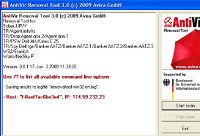
Avira - Action antivirus removal tool

Action antivirus removal
At one time, I have experienced problem when will intend to upgrade Avira Antivirus to a newer version, uninstall the old version that should be part of the process of installing the new version doesn't run properly. Action to uninstall through Add / Remove programs didn't work also. So, as a result of this problem, we can't uninstall antivirus and also can't install new antivirus.

Problems can't uninstall an antivirus program can be due to different reasons. To overcome this problem, it could be done manually by deleting all files and remove the registry settings of the antivirus program . Besides this way, can also be done with a more simple way  that's to use antivirus program removal tool.

A removal-tool is an utility used to detect and remove specific viruses,This is not a substitute for full antivirus protection, but a tool to assist administrators or users when dealing with an infected system

And the best Action antivirus removal tool [free version] that I recommend from avira products :

  1. Download Avira AntiVir Removal Tool
  2. Tutorial - User Manual of Action antivirus Avira removal .pdf

Monday, November 1, 2010

Download McAfee VirusScan Enterprise v8.7i

Please, who want to try using McAfee VirusScan Enterprise v8.7i. The McAfee VirusScan Enterprise v8.7i can protect your computer from various threats, including viruses, worms, Trojan horses, and any program codes that has the potential to damage the computer system.


The following are some features of McAfee VirusScan Enterprise:

- Cover all the bases

Block a ample ambit of bacilli and awful code-even those hidden in aeroembolism files; acquisition new, alien bacilli with avant-garde heuristics and all-encompassing detection

- Defend adjoin threats that ambition Microsoft

Protect adjoin exploits targeted at Microsoft applications and services-especially for Microsoft Windows OS services, Microsoft Word, Microsoft Excel, Internet Explorer, Microsoft Outlook, and SQL server

- Curb beginning damage

Limit beginning damage, alike afore DAT files are issued; abutting ports, adviser applications and email engines, block files and directories, and trace and block infection sources

- Scans anamnesis for awful code

Detect threats that address to anamnesis rather than disk, such as CodeRed and SQLSlammer

- Protect email programs

Detect and abrade bacilli in Microsoft Outlook and Lotus Notes-including HTML argument and attachments

- Keep script-type threats at bay

Prevent threats that accomplishment javascript or Visual Basic from executing

- Optimize afterlight for alien systems

Tailor acreage updates to concrete locations and affiliation speeds: resume afterlight afterwards a burst affiliation is re-established

- Lock bottomward files

Keep VirusScan Enterprise files from actuality adapted with added admission aegis rules

- Avant-garde rootkit detection

Scan arrangement anamnesis for installed rootkits, hidden processes, and added buried awful code

See also, AntiVirus 2011, Norton and Kaspersky

Thursday, October 14, 2010

Use multiple proxies - Proxy tutorial

A question ,Why we need to hide IP..? , One of many reasons, because many websites and software applications use your IP address to track and profile your online activity. When you connect to the Internet, your computer is assigned an IP address, which is your unique identification number on the Internet. This number may contain information about where you are located, who you are, and what programs are running on your computer.

Okay, here is a tutorial on chaining proxies for the use of becoming more anonymous while online. There aren’t enough tutorials online about this subject so I decided to make an attempt at writing one. Since it’s on the subject, I included a section on chaining wingates to become anonymous on telnet.
------------------------------------------------------------------------------------

I’m going to assume that most of you have already used a proxy before to hide your real IP address or domain or maybe just used one to surf anonymously online. If you didn’t, well hopefully you can keep up and possibly learn how to use a proxy. Its also best if you know what an IP address or Domain is first, before reading this tutorial. Hmm, I guess I have to show you where to find a proxy too, check out here : Free Web Proxy List

It will be up to you to figure out which ones work or not. I’m not going to do all the work for you icon_smile.gif. You can check and see if the proxy works by going to http://www.privacy.net to see if your IP address changed.

Proxy Servers
A proxy is a server that acts as a gateway between your computer and your destination (website, IRC chat, etc.). These proxies receive requests from users to view, for example, a web page. The proxy will then forward the request to the internet, find your requested page, then send the web page back to you, the user. Most proxies come with a cache (sounds like “cash”) feature that saves former websites that were visited on that proxy.
Think of cache as a proxy’s storage room. Each site that you make the proxy visit, it saves in its own storage area (cache). So if the user or someone else requests the same site again later on, the proxy will go back into its cache, find the web page and send it back to the user. This saves time because the proxy doesn’t have to go search the Internet for the web page. It just pulls the site out of its cache.

The use of proxies to stay anonymous is a favorite thing to do among people on the Internet who are either paranoid or just security conscious. The anonymity factor comes from the proxy’s ability to hide your true Internet address. For example, if I were to run a scan on your computer right now, I would get the Internet address that was given to you by your ISP (internet service provider), but if I were to scan you while you were using a proxy, then I would get the Internet address of the proxy server. Basically the whole proxy picture looks like this…

[User]>>>>>[Proxy]>>>>>[Web Pages]

Simple enough, right? Right. So now let’s get to the chaining part.

Proxy Chaining
Proxy chaining is merely connecting to more than one proxy and then to your intended destination. You can use as many proxy servers as you can or want. The more you have, the more anonymous you will be. Remember, it doesn’t matter how many proxies you chain together, you will never be 100% anonymous. Let’s look at an example…

[User]>>[Proxy1]>>[Proxy2]>>[Proxy3]>>[Proxy4]>>[Destination]

The example shows that for a proxy chain to be created, the user must first connect to Proxy1. Once the user is connected to Proxy1, from Proxy1, the user will connect to Proxy2, from Proxy2, the user will connect to Proxy3, from Proxy3, the user will connect to Proxy4, from Proxy4, the user will then connect to the intended destination (web page, Unix server, ftp server, etc.).

All together we have 4 proxies in this example. Each proxy is a link in the chain. If the user would be scanned while on the proxy chain in the example, the IP address or domain of Proxy4 would appear on the scan. Now the problem with proxies is they tend to “die out” in a few weeks or less. It all depends. So if Proxy2 were to cease functioning, the chain wouldn’t work.
You would need to get rid of Proxy2 and just use Proxy1, Proxy3, and Proxy4 or find another proxy to take Proxy2’s place. This is why proxy chaining can be a real pain if you are using them just to surf the net. If one dies, you have to figure out which one is the one not working, so you have to go through each one to check them or until you find the one that isn’t working.

Proxy chaining is a necessity if you plan on using proxies to execute a “hack”. If you are attempting to gain unauthorized remote access to any server, whether it is through telnet, ftp, or http, chaining is a must. As I said, you will never be 100% anonymous no matter what you do online so it is possible that you still can be tracked even if u chain proxies. Chaining just makes it a lot hard to track someone.

To make it even harder, its best to use foreign proxies because if someone wanted to trace you, they would need to get logs of your use of each proxy from each proxy administrator. This could take quite a while or even never at all if one of the proxy’s, or all for that matter, belong to an admin in a country that isn’t too fond of the country you are located in.
The longer it takes for the authorities to subpoena the logs of your usage of a single proxy from that proxy’s administrator, the more chance that the other proxies that you used in the chain will have their logs deleted by the time anyone gets to the server administrators of those proxies. So when attempting to do any kind of “hack”, it’s best to use at least five or six proxies in a chain.

HTTP Chaining
HTTP chaining is basically chaining a proxy server in your browser’s address bar. Example:

http://proxy.magusnet.com/-_-http://www.google.com

Notice how the above proxy and destination (yahoo) are seperated by a (-_-) If you wanted to make a chain out of this you would simply add another proxy ex. ( http://proxy.server1.com/-_-http://proxy.server2.com/-_-http://www.destination.com)

Another way to use proxys in your address bar is by adding the proxy IP or domain then the port number. Example…

http://anon.free.anonymizer.com:80/http://www.google.com

Notice how the above proxy and destination server are seperated this time by a (/) forward slash instead of a (-_-) dash, underscore, dash. To make a chain out of this you would again simply add another proxy ex. ( http://proxy1:80/http://proxy2:80/proxy3:80/http://www.yahoo.com)

Browser Chaining
To browser chain is fairly easy. I’ll use Internet Explorer as an example since I believe it is the browser that most people have and use. First you need to find the Internet Options. You can do this by either finding the Explorer icon on the desktop, right click on it, then press properties or if you have a browser window already opened if you are online then you can go to Tools (or sometimes its View) and press Internet Options.
Now that you have the Internet Options window up you can now go to the Connections tab, then go to the first Settings button (not LAN Settings, the one above it) and click it. Now you should be in the Settings box. Put a check in the box where it says to Use a proxy server.

Now if you wanted to surf using one proxy you would merely put the proxy in the Address: space and put the proxy’s port number in the Port: space. To use a chain here you would put in a proxy along with a “:” colon then the port number followed by a space separting the next proxy then a “:” colon then the port number then a space and so on. The last proxy you add should have its port number placed inside the Port: space. If you did it, then it should look like this exactly…

Address: 213.234.124.23:80 121.172.148.23:80 143.134.54.67 Port: 80

***Notice that each proxy:port is separated by a space and that the last proxy has its port number placed in the Port: space. Do not check the box marked “Bypass proxy server for local addresses”. Press OK when you see that everything is in working order***

Wingates
A wingate is a proxy server that someone installs onto his/her computer which allows for a single or multiple online connection to take place through port 23, the default telnet port. Depending on their security, some wingates will allow anyone online to connect to them and usually stay “alive” or “working” anywhere from a few days to even months. There are people out there that scan for these Wingates and post the computer’s IP number or domain on their website to give anyone online a free list of them to use. You can also scan them yourself by using programs like WinScan.

Chaining Wingates Using Telnet
I’m going to assume you already know what telnet is so I will just get right down to it. To chain using telnet, you would first bring up the DOS prompt and type in “telnet” then your wingate. (Since telnet’s default port is 23 and all wingates run on port 23, the port number is not necessary but I will add it just to show you how you should type any port number out on screen) Example…

C:\WINDOWS>telnet 61.133.119.130 23

So now you have “telnet”, a space, the wingate IP, a space, then the port number 23. Once you are connected to the wingate it should look like this…

Wingate>

Now you would type your next wingate and port number in, then press enter like so…

Wingate> 203.207.173.166 23

You can continue to do this until you connected to as many Wingates as you need. Once you are finished with your wingates you would connect to your destination. Example…

WinGate>arbornet.org

So now the entire picture would look something like this…

C:\Windows> telnet 61.133.119.130 23

Wingate>203.207.173.166 23

Wingate>135.245.18.167 23

Wingate>m-net.arbornet.org
Connecting to host arbornet.org...Connected

Welcome to the Once and Future M-Net
FreeBSD 4.3 (m-net.arbornet.org) (ttypv)

Enter newuser at the login prompt to create a new account
Enter upgrade at the login prompt to find out about increased access

login:

Thursday, October 7, 2010

Tips to Overcome Viruses on Your Computer

Viruses,Trojans,Spywares,Worms they are a disturbance on a computer that is caused by external parties for different purposes such as to steal your data, damaging your hardware, delete files, eliminate certain functions, took over the controls on your computer ,etc. To be sure there are no viruses or spywares that brings profit-making on the infected computer.

If you've let your guard down,or even if you have not, it can be hard to tell if your PC is infected. Here's what to do if you suspect the worst.

Heard this one before? You must run antivirus software and keep it up to date or else your PC will get infected, you'll lose all your data, and you'll incur the wrath of every e-mail buddy you unknowingly infect because of your carelessness.

You know they're right. Yet for one reason or another, you're not running antivirus software, or you are but it's not up to date. Maybe you turned off your virus scanner because it conflicted with another program. Maybe you got tired of upgrading after you bought Norton Antivirus 2001, 2002, and 2003. Or maybe your annual subscription of virus definitions recently expired, and you've put off renewing.

It happens. It's nothing to be ashamed of. But chances are, either you're infected right now, as we speak, or you will be very soon.

For a few days in late January, the Netsky.p worm was infecting about 2,500 PCs a day. Meanwhile the MySQL bot infected approximately 100 systems a minute (albeit not necessarily desktop PCs). As David Perry, global director of education for security software provider Trend Micro, puts it, "an unprotected [Windows] computer will become owned by a bot within 14 minutes."

Today's viruses, worms, and so-called bots--which turn your PC into a zombie that does the hacker's bidding (such as mass-mailing spam), aren't going to announce their presence. Real viruses aren't like the ones in Hollywood movies that melt down whole networks in seconds and destroy alien spacecraft. They operate in the background, quietly altering data, stealing private operations, or using your PC for their own illegal ends. This makes them hard to spot if you're not well protected.

Is Your PC "Owned?"

I should start by saying that not every system oddity is due to a virus, worm, or bot. Is your system slowing down? Is your hard drive filling up rapidly? Are programs crashing without warning? These symptoms are more likely caused by Windows, or badly written legitimate programs, rather than malware. After all, people who write malware want to hide their program's presence. People who write commercial software put icons all over your desktop. Who's going to work harder to go unnoticed?

Other indicators that may, in fact, indicate that there's nothing that you need to worry about, include:

- An automated e-mail telling you that you're sending out infected mail. E-mail viruses and worms typically come from faked addresses.
- A frantic note from a friend saying they've been infected, and therefore so have you. This is likely a hoax. It's especially suspicious if the note tells you the virus can't be detected but you can get rid of it by deleting one simple file. Don't be fooled--and don't delete that file.

I'm not saying that you should ignore such warnings. Copy the subject line or a snippet from the body of the e-mail and plug it into your favorite search engine to see if other people have received the same note. A security site may have already pegged it as a hoax.

Sniffing Out an Infection

There are signs that indicate that your PC is actually infected. A lot of network activity coming from your system (when you're not actually using Internet) can be a good indicator that something is amiss. A good software firewall, such as ZoneAlarm, will ask your permission before letting anything leave your PC, and will give you enough information to help you judge if the outgoing data is legitimate. By the way, the firewall that comes with Windows, even the improved version in XP Service Pack 2, lacks this capability.

To put a network status light in your system tray, follow these steps: In Windows XP, choose Start, Control Panel, Network Connections, right-click the network connection you want to monitor, choose Properties, check "Show icon in notification area when connected," and click OK.

If you're interested in being a PC detective, you can sniff around further for malware. By hitting Ctrl-Alt-Delete in Windows, you'll bring up the Task Manager, which will show you the various processes your system is running. Most, if not all, are legit, but if you see a file name that looks suspicious, type it into a search engine and find out what it is.

Want another place to look? In Windows XP, click Start, Run, type "services.msc" in the box, and press Enter. You'll see detailed descriptions of the services Windows is running. Something look weird? Check with your search engine.

Finally, you can do more detective work by selecting Start, Run, and typing "msconfig" in the box. With this tool you not only see the services running, but also the programs that your system is launching at startup. Again, check for anything weird.

If any of these tools won't run--or if your security software won't run--that in itself is a good sign your computer is infected. Some viruses intentionally disable such programs as a way to protect themselves.

What to Do Next

Once you're fairly sure your system is infected, don't panic. There are steps you can take to assess the damage, depending on your current level of protection.

- If you don't have any antivirus software on your system (shame on you), or if the software has stopped working, stay online and go for a free scan at one of several Web sites. There's Symantec Security Check or Trend Micro's HouseCall. If one doesn't find anything, try two. In fact, running a free online virus scan is a good way to double-check the work of your own local antivirus program. When you're done, buy or download a real antivirus program.
- If you have antivirus software, but it isn't active, get offline, unplug wires-- whatever it takes to stop your computer from communicating via the Internet. Then, promptly perform a scan with the installed software.
- If nothing seems to be working, do more research on the Web. There are several online virus libraries where you can find out about known viruses. These sites often provide instructions for removing viruses--if manual removal is possible--or a free removal tool if it isn't. Check out GriSOFT's Virus Encyclopedia, Eset's Virus Descriptions, McAffee's Virus Glossary, Symantec's Virus Encyclopedia, or Trend Micro's Virus Encyclopedia.

A Microgram of Prevention

Assuming your system is now clean, you need to make sure it stays that way. Preventing a breach of your computer's security is far more effective than cleaning up the mess afterwards. Start with a good security program, such Trend Micro's PC-Cillin, which you can buy for $50.

Don't want to shell out any money? You can cobble together security through free downloads, such as AVG Anti-Virus Free Edition, ZoneAlarm (a personal firewall), and Ad-Aware SE (an antispyware tool).

Just make sure you keep all security software up to date. The bad guys constantly try out new ways to fool security programs. Any security tool without regular, easy (if not automatic) updates isn't worth your money or your time.

Speaking of updating, the same goes for Windows. Use Windows Update (it's right there on your Start Menu) to make sure you're getting all of the high priority updates. If you run Windows XP, make sure to get the Service Pack 2 update. To find out if you already have it, right-click My Computer, and select Properties. Under the General tab, under System, it should say "Service Pack 2."

Here are a few more pointers for a virus-free life:

- Be careful with e-mail. Set your e-mail software security settings to high. Don't open messages with generic-sounding subjects that don't apply specifically to you from people you don't know. Don't open an attachment unless you're expecting it.
- If you have broadband Internet access, such as DSL or cable, get a router, even if you only have one PC. A router adds an extra layer of protection because your PC is not connecting directly with the Internet.
- Check your Internet ports. These doorways between your computer and the Internet can be open, in which case your PC is very vulnerable; closed, but still somewhat vulnerable; or stealthed (or hidden), which is safest. Visit Gibson Research's Web site and run the free ShieldsUP test to see your ports' status. If some ports show up as closed--or worse yet, open--check your router's documentation to find out how to hide them.

My recommended antivirus:

Friday, September 10, 2010

The best and most favorite hacking tools - free

the best hacking cracking tools
Nmap creator conducted the survey for 100 best hacking tools against followers of nmap-hackers mailing list. Approximately 3.243 users to vote for their most favorite tools. The list of 100 favorite hacker tools can be found in www.insecured.org

From the 100 tools, The following are the 10 most favorite tools that gets the most votes. These tools are a weapon that's considered absolutely necessary in hacking and security activities.
In the package contains the most necessary programs and utilities for the hackers ot crackers,
  1. Cain and Abel [sniffer]
  2. John the Ripper (powerful brootforce)
  3. NetStumbler [allows to define radius of action of network WiFi – in real time for the diagram it is possible to see size of a useful signal]
  4. Nmap[one of the best network scanner[
  5. Putty [a quite good telnet the client]
  6. SuperScan [powerful scanner TCP of ports, pinger and hostname resolver)
  7. Hping (allows to generate special ICMP/UDP/TCP packages and to look through answers ping a host in style of the usual utility ping]
  8. Lcp [audit and restoration of passwords ]
  9. Nikto [perl the scanner broken Web a server, with support SSL]
  10. Kismet [sniffer a wireless network 802.11 and the decoder of packages]

Download top 10 hacking tools
size: 23.66 MB
Passowrd : hacker.free-7.net

Related tool : Cracking Tools and Crack Searcher

Thursday, August 19, 2010

How to reset BIOS password without opening the computer case (Clear CMOS)

clear cmos bios password stepsFor those of you who like to tinkering with BIOS settings , and once you've forgotten the bios password. or just want to Clear the CMOS memory (ClearCMOS) for a purpose. So here's a tip to (clearing) reset bios password without opening the computer case.. The method is to reset the bios without touching the hardware.

Steps:

1 - Go to command prompt [start -> run -> type cmd]

2 - type debug -> enter
3 - Type o 70 2e -> enter
4 - Type o 71 ff -> enter
5 - Type q -> enter


Briefly
debug
o 70 2e
o 71 FF
q


Notice, it is all lowercase, spaces also include

After that restart your computer, it will remove the BIOS password, don't be surprised if the date and time back to the year of hardware manufactured . Clearing the CMOS will restore the default settings in all BIOS menus, but not restore the original BIOS code (will not revert back to the original bios version).

In the video below is the basic procedure to clearing CMOS by tweaking the hardware (open computer case)

Monday, August 2, 2010

Microsoft Patches Critical Crack Released

windows security patchYesterday, August-03-2010, Microsoft released an emergency patch for a "critical" crack in Windows OS, The patch that could let crackers or hackers take control of computers over the Internet.

Microsoft official said, "The vulnerability could allow remote code execution if the icon of a specially crafted shortcut is displayed"

"An attacker who successfully exploited this vulnerability could gain the same user rights as the local user."

Computer users commonly use shortcuts in the form of on-screen icons they can click to instantly awaken favoured applications.

The Windows flaw lets hackers booby-trap such icons with malicious software that could let them control machines from afar.

Microsoft routinely releases software patches the second Tuesday of each month, but resorts to making patches available "out of band" when it deems situations dangerous.

"Several families of malware have been attempting to attack this vulnerability," Microsoft Trustworthy Computing response manager Christopher Budd wrote in a blog post.

"We firmly believe that releasing the update out of band is the best thing to do to help protect our customers."

Some attacks have reportedly been directed at power plants and other vital infrastructure. People using computers running on any version of Windows software were urged to apply the update immediately.

To run the microsoft update, use this site, you must be running Microsoft Internet Explorer 5 or later.

To upgrade to the latest version of the browser, go to the Internet Explorer Downloads website.

If you prefer to use a different web browser, you can obtain updates from the Microsoft Download Center or you can stay up to date with the latest critical and security updates by using Automatic Updates. To turn on Automatic Updates:

1. Click Start, and then click Control Panel.
2. Depending on which Control Panel view you use, Classic or Category, do one of the following:
* Click System, and then click the Automatic Updates tab.
* Click Performance and Maintenance, click System, and then click the Automatic Updates tab.
3. Click the option that you want. Make sure Automatic Updates is not turned off.

Sunday, August 1, 2010

Malware looks like a Firefox update (fake update by Rougeware virus)

At one time, if you are Mozilla Firefox users and once you've found looks like the following.

firefox fake updateThen, press "Alt + F4" immediately, to close the Firefox Browser (or it could be by using Task Manager / Alt + CTRL + Del). Why is that? Because that's a fake update, not firefox update, and if you follow the instructions indicated, then you will install the malware, which was identified by "Rogueware". and not updated your Firefox as expected. After closing the browser, you should immediately run your antivirus program and do scanning to your PC. to ensure that Rougeware viruses didn't infect your PC .

According to one of antivirus software company F-Secure, that's a trick used by cyber criminals to fool users into downloading the malware .

Friday, June 11, 2010

Hacking Tool Tutorials - Anti-Hacker Toolkit

Hacking Tool Tutorials, There is one ebook that should be used as a reference. This ebook titled "Anti-Hacker Toolkit [Third Edition]". In this book are described in detail how to use more than 100 "hacking tools". The explanation is technically quite easy to be understood and followed. Explains how to attack, survival, and detect the attack and overcome them (Attack & Defense).

Anti-Hacker Toolkit provides complete tutorials on the latest and most critical security tools, explains their function, and demonstrates how to configure them to get the best results. Completely revised to include the latest security tools, including wireless tools , New tips on how to configure the recent tools on Linux, Windows, and Mac OSX New case studies in each chapter

hacking tools tutorials ebook complete guide for newbieTable of Contents

Anti-Hacker Tool Kit, Third Edition
Introduction

Part I - Multifunctional Tools
Chapter 1 - Netcat and Cryptcat
Chapter 2 - The X Window System
Chapter 3 - Virtual Machines & Emulators
Part II - Tools for Auditing and Defending the Hosts
Chapter 4 - Port Scanners
Chapter 5 - Unix Enumeration Tools
Chapter 6 - Windows Enumeration Tools
Chapter 7 - Web Hacking Tools
Chapter 8 - Password Cracking / Brute-Force Tools
Chapter 9 - Host Hardening
Chapter 10 - Backdoors and Remote Access Tools
Chapter 11 - Simple Source Auditing Tools
Chapter 12 - Combination System Auditing Tools
Part III - Tools for Auditing and Defending Your Network
Chapter 13 - Firewalls
Chapter 14 - Network Reconnaissance Tools
Chapter 15 - Port Redirection
Chapter 16 - Sniffers
Chapter 17 - Wireless Tools
Chapter 18 - War Dialers
Chapter 19 - TCP/IP Stack Tools

Part IV - Tools for Computer Forensics and Incident Response
Chapter 20 - Creating a Bootable Environment and Live Response Tool Kit
Chapter 21 - Commercial Forensic Image Tool Kits
Chapter 22 - Open-Source Forensic Duplication Tool Kits
Chapter 23 - Tool Kits to Aid in Forensic Analysis
Chapter 24 - Tools to Aid in Internet Activity Reconstruction
Chapter 25 - Generalized Editors and Viewers
Chapter 26 - Reverse Engineering Binaries

Part V - Appendixes
Appendix A - Useful Charts and Diagrams
Appendix B - Command-line Reference
How to Use the CD
List of Figures
List of Tables
List of Sidebars


Password: www.free-7.net

Monday, May 10, 2010

AntiVirus 2011 Free Download - Norton and Kaspersky

Have a nice day, there is good news because we can try 2011 Antivirus from Norton and Kaspersky .

Norton Antivirus 2011 or NAV 2011 and Norton Internet Security 2011 (NIS-2011) in beta version has been available for download. Both anti-virus owned by the Norton antivirus software, ie: NAV 2011 and NIS 2011 is still in the pre-release stage and is still being developed. The purpose of the second release of this security software is still in development stage by symantec to the public is to gain feedback from loyal users of Norton Anti-virus. The presence of the Beta version of Norton AntiVirus 2011 with many improvements, new features and capabilities have been enhanced.

Norton Internet Security 2011 will be the fastest and lightest security suite Symantec has ever delivered. It guards your PC, network, online activities and your identity with innovative, intelligent detection technologies optimized to combat today's aggressive, rapid-fire attacks. Improved Norton Safe Web technology blocks Internet threats before they can infect your PC. So you can browse, buy and bank online with confidence. It even warns you of unsafe web sites right in your search results. Plus, unlike other Internet security suites, it provides easy-to-understand threat and performance information to help you avoid future threats and keep your PC running fast


Kaspersky 2011 As we know, Kaspersky Anti Virus is one of the famous anti-virus service Kaspersky Internet Security 2011provider in the world. Kaspersky can convince the world today about the resilience of Kaspersky anti-virus in killing viruses on your computer.

Kaspersky Internet Security 2011, Beta Verison.
Kaspersky Internet Security provides a qualitatively new level of protection for your PC through the optimal combination of traditional antivirus technology and modern proactive methods. Products easy to install and configure, they provide a greater opportunity to adapt the work under the individual needs of users.

Programs differ not only integrate seamlessly with the family of operating systems Microsoft Windows, but compatibility with other software to protect personal computers.
Empowerment rules applications

Download links - size: 408 MB:
http://uploading.com/files/2b2678e7/KIS%2B2011%2B11.0.0.204.part1.rar/
http://uploading.com/files/91ac1776/KIS%2B2011%2B11.0.0.204.part2.rar/
http://uploading.com/files/77bbcm6c/KIS%2B2011%2B11.0.0.204.part3.rar/
http://uploading.com/files/319m3m65/KIS%2B2011%2B11.0.0.204.part4.rar/
http://uploading.com/files/9c5c6cc6/KIS%2B2011%2B11.0.0.204.part5.rar/


Kaspersky Anti-Virus Personal 2011 Download

Thursday, April 15, 2010

Update for latest 2010 USB disk security

USB Disk Security Latest 2010 full version downloadUSB disk or flash-disk

Have a good day.., I just want to update my post before on usb disk security download full version ,

Description :
  • USB-Disk-Security (UDS) Security provides 100% protection against threats via USB drive.
  • UDS is the best antivirus software to permanently protect offline computer without the need for signature updates, but other antivirus software should update signature database regularly, and can not protect offline computer, easy to use and compatible with other security software and not slow down your computer at all...enjoy with this latest update!


Friday, March 19, 2010

Protect email from spam

Many ways to avoid spamming from mail spider or mail grabber as mail address protection on website or blog pages ,one of way is change the @ sign with [at] or the dot sign with "dot" , for example below:

- if your email address is : busby@gmail.com , then change with :busby[at]gmail.com or busby[at]gmail dot com
- if your mail is : seo@yahoo.com, then change with :seo[at]yahoo dot com
-or if your mail is :iwan@hotmail.com, change with :iwan-at-hotmail-dot-com

Mail spider or mail grabber are the programs that in used by spammers, which use the work algorithm with "mailto" variable then searching the @ sign and dot ,then the domain name : com,net and others.

Another solution to protect your mail address is with the javascript , this way will be still appearing the @ sign and dot at your mail address which want to presented on your website or blog pages . ok, look at following :

<script language="javascript">
<!-- by free 7 blogger - http://free-7.blogspot.com -->
<!-- begin
user = "mailname";
site = "yahoo.com";

document.write('<a href=\"mailto:' + user + '@' + site + '\">');
document.write(user + '@' + site + '</a>');
// end -->< </script>

Usage :


Change at the text with red colour by the name of your mail and the email site provider .and place into your web/blog page.

Please to copy-pasting into your web-page, with JavaScript is better protection.
Or for example look at my email address at underside of my profile.


This is my old post from here, and I posting again because the article was a mess and the keywords have been damaged in search engines, Perhaps caused of the spam comments

Saturday, February 27, 2010

Internet safety tutorial center and steering clear of cyber tricks (video)

In the vedeo below is an interactive tutorial to improve your Internet research, about how to recognize and steer clear of tricks online, to help consumers understand both the positive aspects of the Internet as well as how to manage a variety of safety and security issues that exist online.These tutorial will go through some tricks and steps to to avoid tricky online scams or recover back a hijacked browser.

We know that the internet has become a big part of everyday life for millions of people in the world. So, as most familiar things, it's easy to forget that the Internet poses risks to the unwary. And by taking a few precautions, you and your family can stay with the internet wired while maintaining peace of mind, relax and enjoy with all your favorit internet products


Safety Center Videos

Learn more about: